Meet the Comp Desk Agentic OS.
An agent at every stage of a workers' comp case, a desk you can talk to, and documents that draft themselves for your approval. This page is a preview of software in development, shown with fictional clients.
- Agents draft. People approve.
- Every item cites its source.
- Talk to it. It answers out loud.
Prototype with fictional data. Features in development; availability and details may change.
Run the desk by voice.
Hold the microphone (or the space bar) and ask. No microphone? Tap a suggestion or type. Everything in this window is fictional: the clients, the cases, the doctors and the documents.
English The prototype listens and speaks in English for now.
Cases
5Hearings and dates
Good day. Here's the desk.
Agent activity
Hold to talk, or press and hold the space bar while the prototype has focus.
You…
OSAsk me about tomorrow's hearings, or tap a suggestion.
Your voice. Your browser turns your speech into text; some browsers do that on their maker's servers. The prototype never records or keeps audio, and it only ever asks our server to read its own scripted lines. Your eyes. Gaze mode runs a face model in your browser. No camera image leaves this device.
An agent at every stage of the case.
Each stage of a claimant's case gets an agent that does the reading, the drafting and the chasing. People decide. These are in development; none of them is available yet.
- Intake
The intake agent
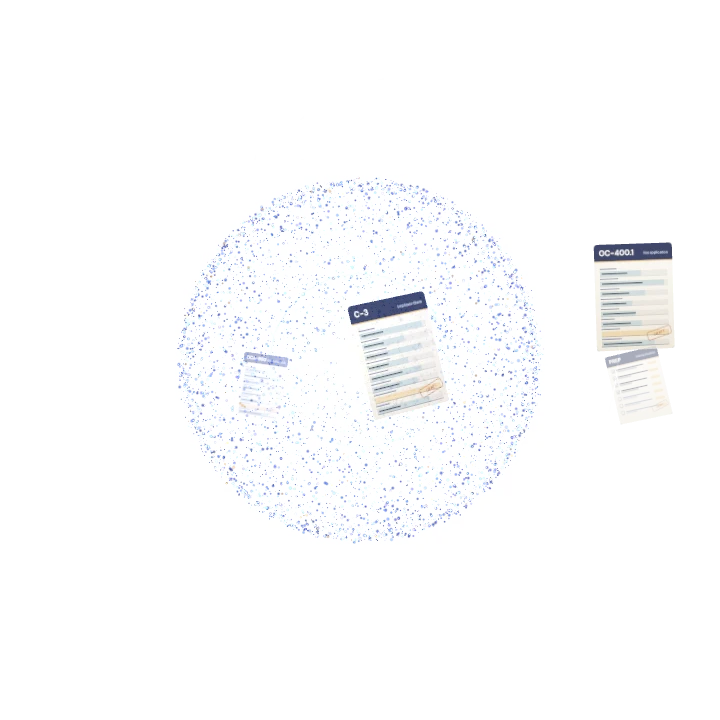
Turns a new client's interview into a structured intake and a draft C-3, and lists what is still missing.
In development - Hearings
Hearing prep from recent notes
Builds the checklist for each hearing from the case's latest notes and reports, with every item linked to where it came from.
In development - Medical
The medical report reader
Reads treating and IME reports, pulls out maximum medical improvement, schedule loss of use and work status, and cites the page.
In development - Clients
Client messaging
Drafts plain-language answers to client questions. A person approves every message; an attorney approves anything about medical care, a settlement or a filing.
In development - Records
The records desk
Prepares records requests and OCA-960 authorizations for the client to sign, tracks what arrives, and follows up when it doesn't.
In development - Closing
The settlement desk
Prepares Section 32 closing documents from the case's figures for the attorney to review. It never approves money on its own.
In development - After
Follow-ups
Watches for late reports, unpaid awards and dates after a case is established, and drafts the follow-up letter.
In development - Rules
Rules it learns from your firm
Your routines become rules you can read, edit and switch off, such as "when a hearing notice arrives, draft the prep checklist."
In development
Around the case
Client chats, push and video calls
Clients message the team from The Comp Desk app, book video calls with the people on their case, and get notifications that say only that there's an update, never the details.
In developmentAgent inboxes
Email addresses for the firm, each with a purpose and an owner. Agents sort mail to the right case, summarize threads and draft replies. Nothing is attached by a guess, and no agent sends on its own.
In developmentThe Doc Lab review assistant
A client reads a document beside an assistant that quotes it, with a live person from the team one tap away.
In developmentInside Claude and ChatGPT
Work with the firm's cases from Claude or ChatGPT through The Comp Desk connector, with access the firm switches on and controls.
In development- Agents draft. People approve. No agent files, signs, pays or sends on its own.
- Every item cites its source. A checklist line, a finding or a reply links to the note, report or message it came from.
- Medical never runs automatically. Health information stays in its own lane, behind the people allowed to see it.
- Your firm's data stays your firm's. Each firm is kept apart from every other firm.
Where it's heading: no keyboard at all.
Not built yet This is the direction, not a product you can buy. The prototype above shows pieces of it.
No typing
You speak and the desk acts: speech to text and text to speech joined so closely that it feels like talking to a colleague.
Real-time, two-way voice
It answers out loud as it works, and you can interrupt it mid-sentence, the way you would a person.
Eye tracking
Look at a panel to bring it forward; hold your gaze or blink to choose. Try the experimental gaze mode in the prototype.
Stand at a screen and run the firm
A wall display with the day's hearings, the inbox and every agent's work, under your voice and your eyes.
On your firm's own server
The whole OS running where your firm decides, tied to your case data and no one else's.
Join the early-access list for design-partner firms.
We're looking for a few New York claimant-side workers' comp firms to shape the Agentic OS with us. Write to us and tell us about your firm; we'll reply by email.
Prototype with fictional data. Features in development; availability and details may change.